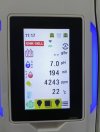
How to troubleshoot Emaux CyberSync salt chlorine generator Check Cell / Check Water Level of Cell
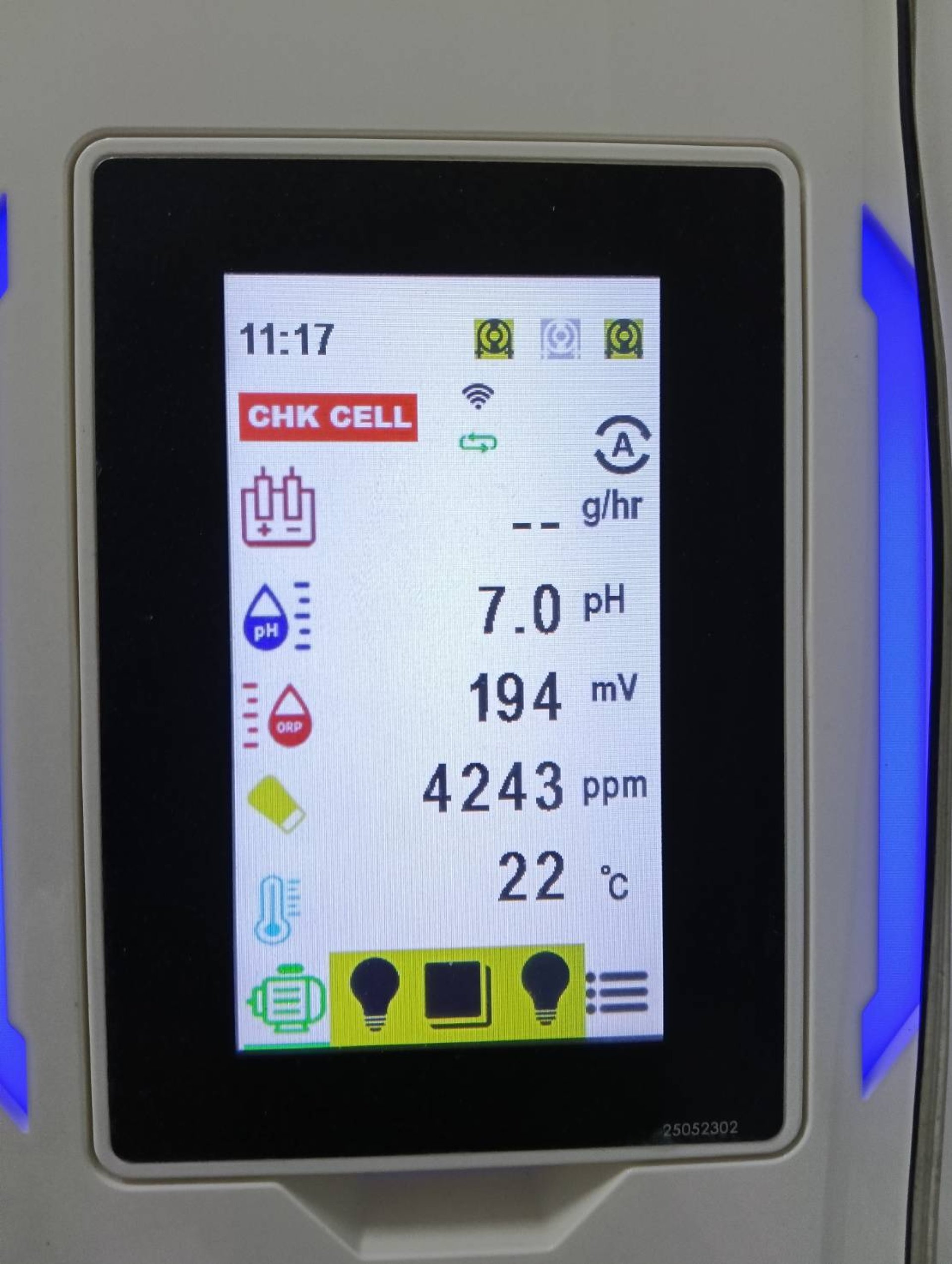
How to Fix the Emaux CyberSync Salt Chlorinator
"Check Cell" / "Check Water Level of Cell" Error
The Emaux CyberSync Salt Chlorinator is an advanced smart pool control system that monitors salinity, pH, temperature, and water flow in real time to ensure your swimming pool stays clean and safe.
However, some users may encounter warning messages such as:
Check Water Level of Cell
Electrolysis Pause / g/hr
When these warnings appear, chlorine production usually stops, which may cause concern for pool owners or technicians. Many people immediately wonder: Is the cell damaged?
In reality, these alerts are usually easy to fix. In this article we will explain the real causes and the simple solutions you can apply immediately.
The True Causes of the Check Cell Message
The good news is that in most cases the cell itself is not damaged, especially with newly installed systems. There are generally only two main causes.
1. Insufficient Water Flow Through the Cell
This is the most common cause, accounting for more than 80% of cases. The chlorinator requires continuous water flow while producing chlorine. If the flow sensor does not detect water movement, the system will automatically stop electrolysis for safety.
Possible reasons include:
- The water pump is not running according to the schedule
- Valves are partially closed
- The filter is clogged
- Air trapped in the pipes (Air Lock)
- New installation with unstable circulation
- Turn on the pump and confirm stable water flow
- Open all valves fully
- Backwash the filter or check pressure
- Release trapped air from the pipes
- Run circulation continuously for 12 hours before retesting
2. Loose Cell Cable Connector
This issue is frequently found in newly installed pools. If the cell cable is slightly loose, the system cannot deliver power to the cell, resulting in no chlorine production and the "Check Cell" warning.
- Disconnect and reconnect the cable firmly
- Ensure you hear a "click" when attaching the connector
- Make sure the connector is dry
- Avoid bending or pulling the cable
Overlooked Secondary Cause
Based on the experience of the Winwin Pool technical team, many alerts occur simply because the system is in Pause Mode.
- The water pump runs according to a schedule
- If you check the app while the pump is OFF, the unit will show a warning
- This is normal because no water is flowing
- In Flow Mode, chlorine is produced only when water flow is detected
Real Customer Example
Several customers reported seeing Electrolysis = PAUSE g/hr together with the "Check Water Level of Cell" warning in the CyberSync app.
After inspection, our technicians found that the pump was simply not running at that time because the schedule was set to intermittent operation.
Once the pump started and water flow returned, chlorine production resumed normally and the warning disappeared immediately.
Quick Summary
Most "Check Cell" alerts on the Emaux CyberSync are caused by:
- No water flow through the cell
- A loose cell connection
- The pump being off according to schedule
Immediate Troubleshooting Steps
- Turn on the water pump and check water flow
- Remove air trapped in the pipe system
- Check filter pressure
- Ensure the cell connector is firmly secured
- Set the pump schedule to run 8-12 hours per day