-35%

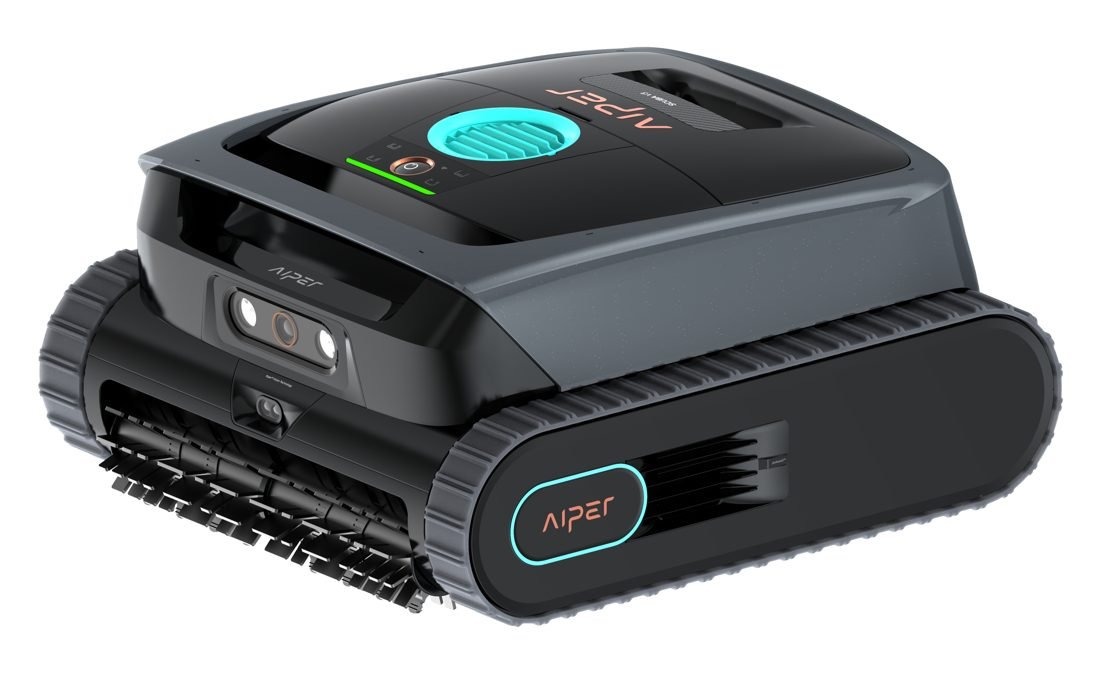
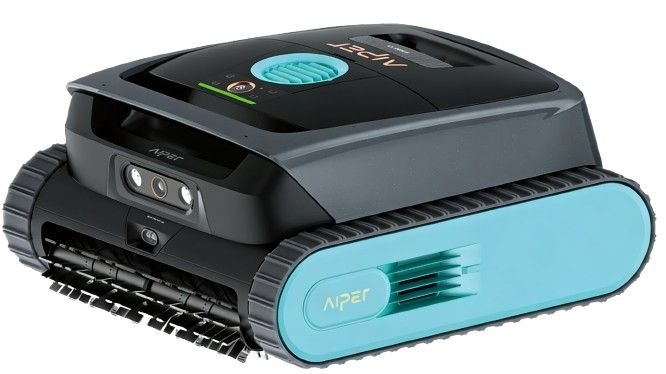
Aiper Scuba V3 Cordless Robotic Pool Cleaner with AI Camera

SKU : VIPER-Scuba V3

0 Sold

no reviews

฿73,671
฿47,887

Quantity

Promotions and Special Offers

Buy products worth every ฿3,000 Get an instant discount 4%

Buy products worth every ฿5,000 Get an instant discount 5%

Buy products worth every ฿20,000 Get an instant discount 6%

Buy products worth every ฿40,000 Get an instant discount 7%

Buy products worth every ฿3,000 Get an instant discount 3% (For Everyone)

Buy products worth every ฿5,000 Get an instant discount 4% (For Everyone)

Buy products worth every ฿20,000 Get an instant discount 5% (For Everyone)

Buy products worth every ฿40,000 Get an instant discount 6% (For Everyone)

Short Description

Aiper Scuba V3 is a cordless robotic pool cleaner powered by Cognitive AI. AI Patrol and VisionPath intelligently detect debris, plan efficient cleaning routes and avoid obstacles. With 4,800 GPH suction, dual brushes, waterline cleaning and MicroMesh multi-layer filtration, Scuba V3 delivers smart and effortless everyday pool cleaning. (Update 10/09/2026)

Wishlist
Product description
Download
VDO
KEY FEATURES

Aiper Scuba V3 Highlights

Smart AI Navigation Camera

Sees, avoids obstacles and cleans intelligently

JetAssist Horizontal Waterline Cleaning

Side jets scrub along the waterline, so you don't have to

Cleans Even at Night

Dual LED lights help the AI camera see in low light

AI Patrol Cleaning, Up to 10x Faster

The AI camera recognises 20+ types of debris and skips unnecessary passes, for a cleaner pool in less time with full coverage

7 Days
Worry-free
on a single charge
AI Navium Mode

Dual Brushes + 4 Motors
Up to 4,800 GPH Suction

Multi-Layer MicroMesh Filtration

180μm basket + 3μm filter, no dust left behind


Cognitive AI Navium Mode

A weekly cleaning plan based on pool size, weather and cleaning history

 
Aiper Scuba V3 cordless AI robotic pool cleaner
Cognitive AI Robotic Pool Cleaner

Aiper Scuba V3: A Full Week of Pool Care on One Charge

A cordless robotic cleaner for in-ground pools. It uses an AI camera and a dToF sensor to find debris and go straight to it, cleaning the pool floor, walls and waterline. Its AI was trained on data from more than 200 real pools over 2 years of research and development.

10x
Faster cleaning, at most
7 days
Automatic care per charge
4,800 GPH
Maximum suction
150 m²
Maximum pool size

Real Benefits for Everyday Pool Care

Less daily pool workTurn on AI Navium once and the robot plans its own weekly cleaning cycles from your pool size, the weather and its cleaning history.
No more scrubbing the waterlineJetAssist uses side jets to move the robot horizontally along the waterline and scrub it continuously.
No tangled cablesCordless and 8.2 kg, light enough to lift with one hand and set straight onto the charging dock.

Who It's For

Homeowners with in-ground pools Villas and holiday rentals Pools with both leaves and fine debris Owners who want a clean waterline without scrubbing Pool technicians who want to cut time on site

Smarter, and Faster to a Clean Pool

The AI camera, dToF sensor and smart planning system work together, so the robot doesn't follow a fixed pattern like conventional cleaners.
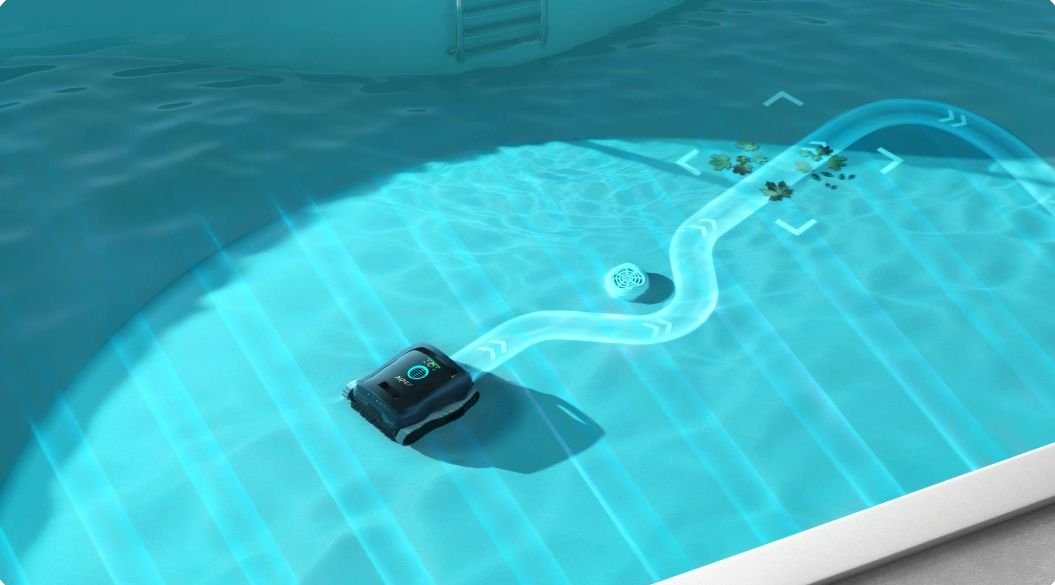
AI Patrol Cleaning detecting pool debris

AI Patrol Cleaning with VisionPath

The AI camera recognises more than 20 types of debris and heads straight for them, cutting out needless travel and cleaning up to 10 times faster.

LeavesInsectsSand/gravel pilesFruitDrain coversStepsWall lights

How AI Navium Mode Decides

It builds a plan for your specific pool and runs for 7 days on a single charge.

Pool size
Up to 40 m²: 20-minute floor cycles
Over 40 m²: 30-minute floor cycles
Weather
Moderate rain or heavier: skips that day, then adds floor and wall cycles the next day
Rain for more than 2 days in a row: cleans daily to prevent algae
Cleaning history
Walls not cleaned for more than 3 days: adds a wall cycle automatically
Missed a cycle: the plan adjusts to make up for it
Cleans even at nightDual LED lights help the AI camera see in low light. The dToF sensor detects up to 2 m ahead and slows the robot as it approaches a wall.
Your privacy is protected (TÜV)All AI processing happens on the robot. Images are never stored or uploaded, and the app only handles commands and status alerts.

Floor, Walls and Waterline, All Clean
Aiper Scuba V3 dual roller brushes
Dual brushes + 4 motors

Scrubs, lifts and traps stubborn dirt, with up to 4,800 GPH (18,169 L/h) of suction.

JetAssist waterline cleaning
JetAssist horizontal waterline

Side jets carry the robot along the waterline for continuous, energy-efficient scrubbing.

Multi-layer MicroMesh filtration system
Multi-layer MicroMesh filtration

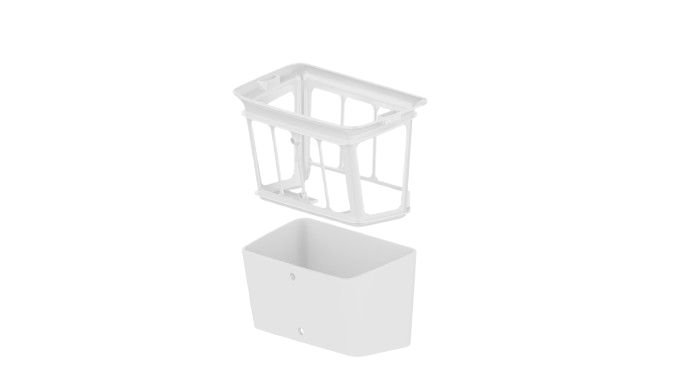
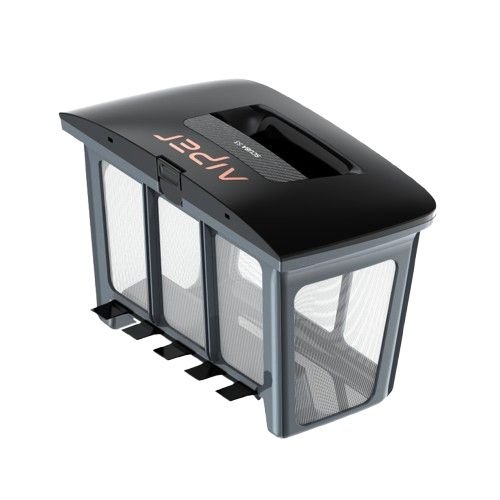
A 180μm basket for leaves and large debris, plus a 3μm filter for fine sand, dust and pollen.

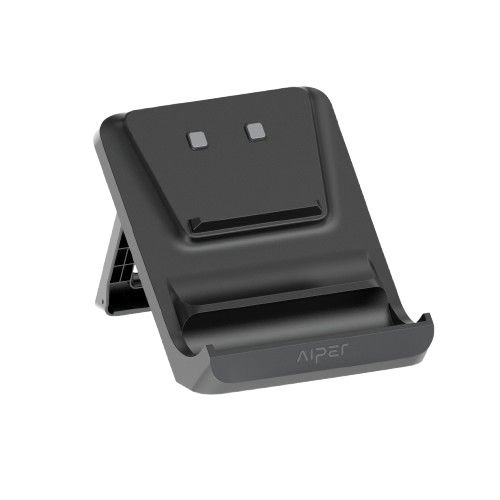
Aiper Scuba V3 charging dock

Parks at the Waterline for Easy Retrieval

When cleaning is done or the battery is low, the robot surfaces at the waterline and sends an app alert. If no one lifts it out within 10 minutes, it returns to wait on the pool floor. Once out, place it straight onto the charging dock.

LED Status Indicator

Solid green Battery 30%+ / fully charged
Solid blue Battery 16-29%
Solid orange Low battery, 15%
Slow-flashing green Charging, 30 -99%
Flashing red Fault detected
Flashing yellow Firmware updating

Cleaning Modes for Every Area

Choose a mode with the button on the robot or in the Aiper app (set modes in the app while the robot is on dry land, before placing it in the pool).

Auto Robot button

Floor, walls and waterline. Above 65% battery it cleans walls and waterline first; below 65% it cleans the floor only.

Floor Robot button

Turn on the AI camera in the app for 20 minutes of vision-guided cleaning, then an S-shaped path to catch any missed spots.

Wall Robot button

Cleans the walls in an N-shaped path without cleaning the floor.

Waterline Robot button

Moves horizontally along the waterline. At a corner or obstacle it drops down to clean the wall or goes around.

AI Patrol In the app

Vision-guided floor cleaning that targets debris continuously and stops on its own when the battery runs low.

AI Navium In the app

An automatic weekly cleaning plan: 7 days on a single charge.

Scheduled In the app

Set your own days, times and durations, e.g. 45 min × 4, 60 min × 3 or 90 min × 2 (fully charge before scheduling).

Specifications

ModelAiper Scuba V3 (N31)
AI systemCognitive AI · AI Patrol · AI Navium
Cleaning areasFloor, walls, waterline
Pool typeIn-ground pools
Supported surfacesConcrete, fibreglass, vinyl, tile
Pool sizeUp to 150 m²
Pool depth0.53 m
SuctionUp to 4,800 GPH (18,169 L/h)
Brush systemDual roller brushes + 4 motors
RuntimeUp to 180 min (ECO up to 210 min)
Charging time5 hours (charging dock only)
Battery14.4V 10,400mAh (149.76Wh)
Filtration180μm basket + 3μm MicroMesh
Filter basket capacity3.5 L (top-loading)
NavigationAI Vision + dToF sensor (VisionPath)
ConnectivityWi-Fi 2.4 / 5 GHz, Bluetooth
Dimensions444 × 380 × 218 mm
Weight8.2 kg
Operating temperature10-40°C

What's in the Box

×1Scuba V3 robot
×1Charging dock
×1Power adapter
×1Replaceable MicroMesh filter
×1Retrieval hook
×2Buoyancy foam
×1User manual + quick start guide
3.5 L top-loading filter basket

Is Scuba V3 Right for Your Pool?

Check your pool before use so the robot can perform at its best.

Works well with
In-ground pools up to 150 m²
Concrete, fibreglass, vinyl or tile surfaces
Depth of 0.53 m
Pools with both general and fine debris
Pools that need waterline cleaning
Check first
! Very slippery mosaic: the robot may not climb the walls. Attach the included buoyancy foam.
! Safety ledge with a curve radius of 5 cm or more: the robot may not climb over it. Attach the buoyancy foam.
! Steps, tight corners or slopes may cause the robot to circle the same spot. Try a different launch point or mode.
! If your pool has none of the issues above, don't attach the foam, as the front of the robot may lift.

Recommended Water Conditions

10-40°C
Water temperature
7.0-7.8
pH
≤ 4 ppm
Chlorine
≤ 5,000 ppm
Salt (NaCl)

Getting Started and Care

Three simple steps to start, plus a care routine to keep the robot running for years.

1PlaceSet the mode in the app while the robot is on land, then lower it into the pool.
2PressHold the Power button for 2 seconds to start (if no water is detected within 5 minutes, it switches off).
3Lift outThe robot waits at the waterline. Lift it out with the hook and place it on the charging dock.
Care Tips
Empty the filter basket after every use. Rinse the 180μm basket with clean water; a full basket reduces suction.
Clean the MicroMesh filter regularly, especially in dusty or high-pollen periods. Replace it when the mesh wears out.
Check the roller brushes. Remove any hair or debris wrapped around them so they spin freely.
Charge on the dock only. Use and charge between 10-40°C; outside this range the battery enters protection mode.
Keep water balanced. pH 7.0-7.8, chlorine no more than 4 ppm and salt no more than 5,000 ppm to protect the robot's parts.
Update firmware through the app. The light flashes yellow during an update; don't switch the robot off until it finishes.

For part replacement intervals, see the manufacturer's manual or ask the WinWin Pool service team.

Frequently Asked Questions

How is Scuba V3 different from other robotic cleaners?+
It uses Cognitive AI Navium, trained on data from more than 200 real pools. It learns your pool's shape in real time and plans its route with VisionPath instead of following a fixed pattern.
It has an AI camera. Is my privacy safe?+
Yes. It holds a TÜV data-protection certification. All AI processing happens on the robot, images are never stored or uploaded, and the app only handles your commands and status alerts.
Which parts of the pool does it clean?+
The floor, walls and waterline. The waterline is cleaned with JetAssist, which moves the robot horizontally along it.
Can it pick up fine debris?+
Yes. Fit the 3μm MicroMesh filter to trap fine sand, dust and pollen. Actual results depend on the type and amount of debris.
Do I need to switch my Wi-Fi to 2.4 GHz?+
No. It supports both 2.4 GHz and 5 GHz. Hold the Power button for 5 seconds to enter pairing mode.
How long does it take to charge?+
About 5 hours on the charging dock. The light turns solid green when fully charged. Runtime is up to 180 minutes (ECO up to 210 minutes).
The robot won't turn on. What should I check?+
Fully charge it, make sure the temperature is between 10-40°C, then hold the Power button for 2 seconds. If it still won't start, contact the WinWin Pool service team.
What should I check before buying?+
Your pool's size and shape, surface, depth, steps or safety ledges, and the warranty terms. Send us photos of your pool on LINE and our team will check it for you.
Not sure it's right for your pool?
Send your pool's size, shape and a few photos, and the WinWin Pool team will help you choose the right model for free. Serving 3 branches: Bangkok, Hua Hin and Pattaya.

Information based on Aiper manufacturer documentation at the time of writing. Specifications are subject to change.
Aiper, Scuba, Navium, VisionPath, JetAssist and MicroMesh are trademarks of Aiper.

Ratings & Reviews
There are no ratings and reviews yet. Be the first to comment.
icon-messenger
This website uses cookies to enhance performance and provide you with a better user experience. You can read more details at: Privacy Policy and Cookies Policy