Share

aswim EC Series Salt Chlorinator Showing E2: What Does It Mean?
Last updated: 3 Oct 2026
6 Views
Salt Chlorinator Error Codes | Laswim EC Series

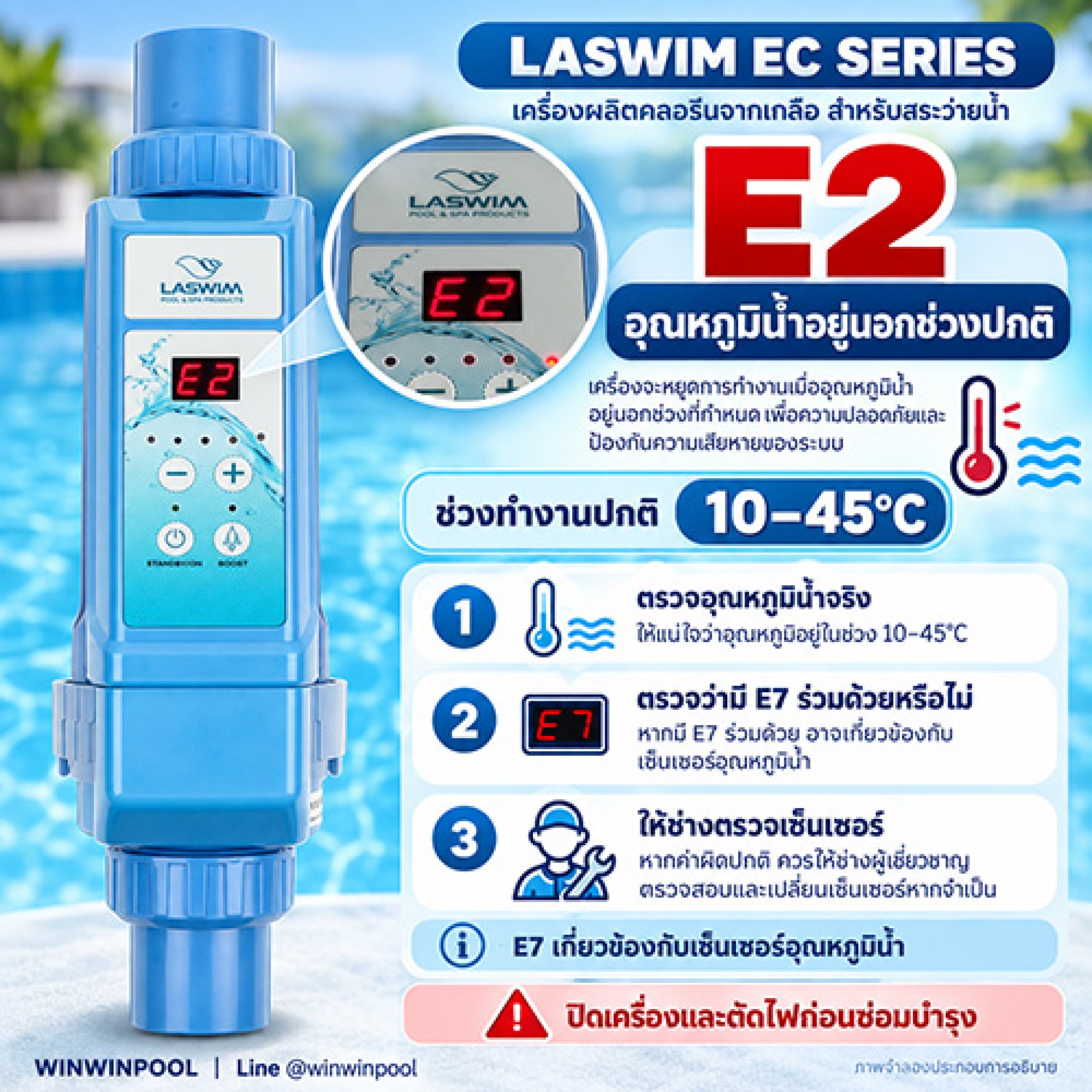
Laswim EC Series Salt Chlorinator Showing E2: What Does It Mean?

The E2 code means the water temperature is above or below the normal operating range, which the manual specifies as 1045°C.
E2
Meaning per the manual

Water Temperature Outside Normal Range

Check both the actual water temperature and the sensor, in that order.

Operating water temperature range per the manual
 
Below 10°C: too cold 1045°C: normal range Above 45°C: too hot

Check in Order

1
Measure the actual water temperature
Use a thermometer to measure the water in the system and compare it with the units reading, to see whether the water really is outside 1045°C.
 
2
Check whether E7 is also showing
The E7 code relates to a water temperature sensor fault.
 
E7 also showing

Tell a technician to check the sensor

The problem may be the water temperature sensor. Have a qualified technician inspect it.

3 No E7

Focus on water temperature

Water too hot or too cold: fix the cause until it is back within range
Water temperature is normal but E2 persists or the reading is off: have a technician check the temperature measurement system

How Is E2 Different From E7?

Both codes relate to water temperature, but point to different causes.

E2 This article
Water temperature outside 1045°C
Measure the actual water temperature first
E7
Water temperature sensor fault
Have a technician check the sensor
E2 Is a Water Temperature Warning

It is not a low-salt code, so dont add salt to fix it.

Switch off and disconnect power before maintenance. Sensor inspection or replacement should be done by a qualified technician.

Other Laswim EC Series codes
E1 Heat sink temperature too high E3 No water in the unit E4 Salt too high E5 Salt too low E6 Controller temperature sensor fault E7 Water temperature sensor fault E8 Input voltage too high or too low E9 Excessive output current EA Electrode fault EB System memory chip fault EC System detection circuit fault

Frequently Asked Questions

What does the E2 code mean on a Laswim salt chlorinator?

E2 means the water temperature is above or below the normal operating range, which the manual specifies as 1045°C.

What water temperature does a Laswim EC Series operate at?

The manual specifies a normal operating water temperature of 1045°C.

What if E7 appears together with E2?

Tell a technician to check the sensor, because E7 relates to a water temperature sensor fault.

Water temperature is normal but E2 still shows. What now?

If the actual water temperature is normal but E2 persists or the reading is off, have a technician check the temperature measurement system.

Will adding salt clear E2?

No. E2 is a water temperature warning, not a low-salt code, so dont add salt to fix it.
RELATED PRODUCTS

WINWINPOOL SHOP

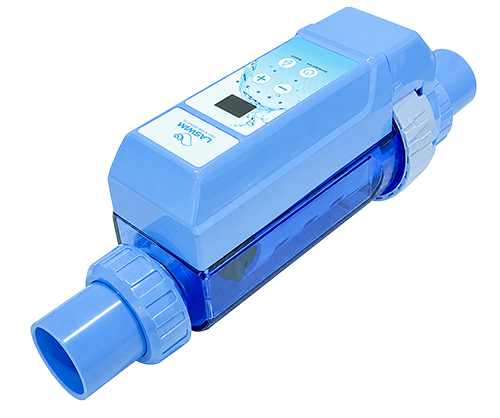
Laswim EC Series Salt Chlorinators

Looking for a Laswim EC Series salt chlorinator, or want to compare models for your pool? See the full product details on our EC Series salt chlorinator page.

View EC Series models and details in one place
Choose the right model for your pool size and usage
Ask our team on LINE before you decide

Need Help With an Initial Diagnosis?

Send us a photo of the display, your measured water temperature, and let us know whether E7 or any other codes appeared.
WINWINPOOL Everything For Your Pool
#Winwinpool #Laswim #ECSeries #LaswimE2 #SaltChlorinator #PoolCare

Related Content
Laswim EC Series Salt Chlorinator Showing E7: What Does It Mean?
Laswim EC Series showing E7? It indicates a water temperature sensor fault. Have the sensor checked for debris before replacing parts.
เครื่องเกลือ Laswim EC Series ขึ้น EA หมายถึงอะไร?
If your Laswim EC Series salt chlorinator displays the EA code, it indicates an electrode fault. The manual says to check the electrode connection first before considering replacement parts. This guide walks through the checks in order, what information to prepare for the technician, and how EA code
icon-messenger
This website uses cookies to enhance performance and provide you with a better user experience. You can read more details at: Privacy Policy and Cookies Policy