Hayward AquaRite 900 Check Salt Light On or Flashing: Should You Add Salt Right Away?
Hayward AquaRite 900 Check Salt Light On or Flashing: Should You Add Salt Right Away?
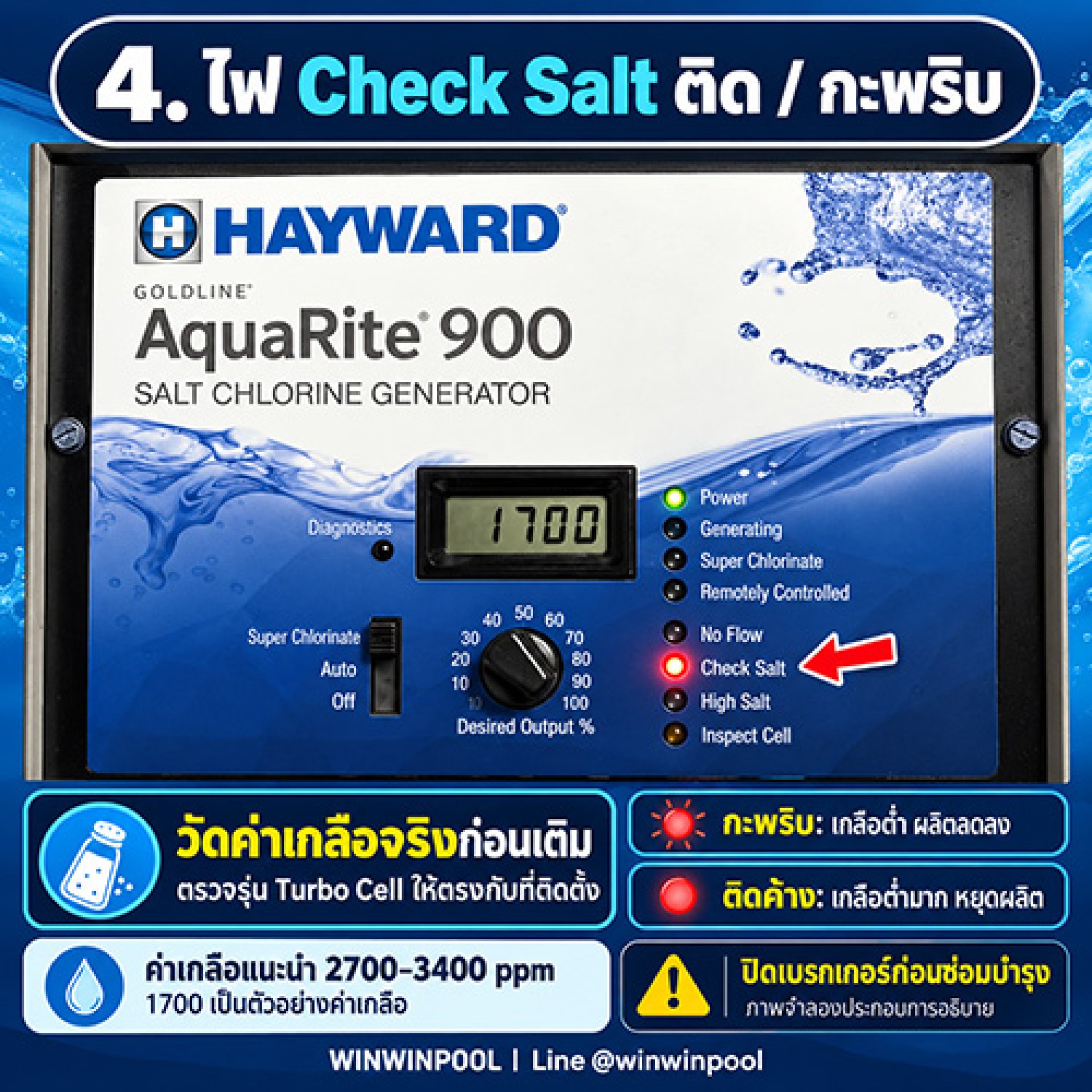
When the Check Salt light comes on, the unit is reading low salt. Before adding any, confirm the actual salt level and make sure the cell model setting is correct.

Flashing Light vs Steady Light

Flashing
According to the manual, salt is below 2,700 ppm. The unit still produces chlorine, but at reduced efficiency.

Steady
Salt is so low that the unit shuts off chlorine production.
3 Checks Before Adding Salt
Manufacturer-Recommended Salt Level
Between 2,700-3,400 ppm, with an ideal level of about 3,200 ppm.

If the actual salt level is in range but the unit still reads low or the light stays on, check for scale buildup, the cell condition and the settings.

1700 shown here is an example salt reading, not an error code. A Check Salt light does not always mean the cell is faulty. Complete all checks before adding salt or replacing parts.
Frequently Asked Questions
Should I add salt as soon as Check Salt comes on?
Not right away. Test the actual salt level with a separate kit and check the Turbo Cell setting first. Only calculate how much to add if salt is genuinely low.
Which is more serious, flashing or steady?
Steady is more serious, because salt is so low that the unit shuts off chlorine production. When flashing, the unit still produces chlorine, but at reduced efficiency.
Why check the cell model setting?
The t-3, t-5, t-9 or t-15 setting must match the installed cell. If it is set to the wrong model, salt readings may be inaccurate.
I added salt. Why does the display still read low?
The system needs to run so the salt dissolves and circulates, and the average salt value may take time to update. If the actual level is normal but the reading stays low, check for scale and the cell condition.


Need Help With an Initial Diagnosis?
Send us a photo of the display, your cell model and your measured salt level.
